
Getting started at an online casino should be straightforward, but it helps to understand the steps before entering personal or payment details. This guide explains how UK players can approach logging in and making a deposit at Casino Ninja, what to check if something goes wrong, and how to keep account activity secure. Procedures, payment options and eligibility can change, so use the casino’s current terms and on-screen instructions as the final authority.
Before You Create an Account
First, check that the casino is legally available to you in the United Kingdom. Online gambling operators serving UK customers generally need the appropriate licence from the UK Gambling Commission. Look for the operator’s legal name and licence information in the site footer, then verify it against the regulator’s public register. A familiar brand name or professional-looking website is not proof of a licence.
Also review the rules for age, identity verification, deposits, withdrawals and bonuses. UK players must be at least 18. You may be asked to confirm your identity and address, either during registration or before a withdrawal. Make sure the personal information you provide is accurate and matches your documents and payment account.
Casino Ninja Login: The Basic Steps
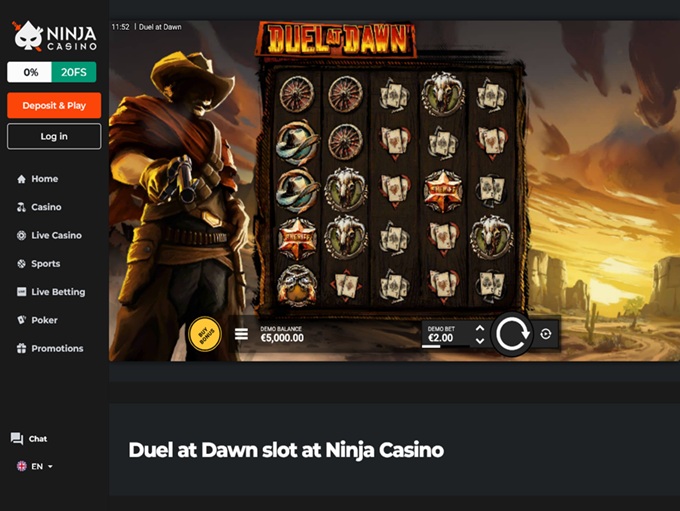
If you already have an account, open the official Casino Ninja website and locate the Log in or Sign in option. Avoid links from unsolicited messages, adverts or unfamiliar search results. Check the address bar carefully, particularly before entering a password or financial details.
- Select the login button on the official site.
- Enter the email address or username associated with your account.
- Type your password and submit the form.
- If prompted, complete any additional security check shown on screen.
On a shared device, do not save your password, and sign out when you finish. Use a unique password that you do not reuse for email, banking or other casino accounts. A password manager can help generate and store strong credentials. Never share a one-time code or password with someone claiming to be casino support.
If You Cannot Log In
Check that Caps Lock is off and that you are using the email address registered to the account. If the casino offers a password-reset link, request it through the official website and follow the instructions sent to your registered email. Check spam folders if the message does not arrive, but do not repeatedly request resets from multiple sites.
An account may also be temporarily restricted after too many unsuccessful attempts, incomplete verification, a security review or a request for help with gambling. Contact support through the casino’s verified channels if the reset process does not resolve the issue. Be prepared to answer account-verification questions, but do not send card PINs or full passwords.
How to Make a Deposit
Once logged in, open the cashier, banking or deposit section. The available methods and minimum or maximum amounts depend on the operator, your account and its current rules. UK customers may see options such as debit cards, bank transfers or approved digital payment services, but availability should never be assumed. Credit cards cannot be used for gambling deposits with UK-licensed gambling businesses.
- Choose Deposit or the equivalent cashier option.
- Select a payment method that is available to you and permitted by the casino.
- Enter an amount within the displayed limits.
- Review any fee, processing information, currency conversion or bonus conditions.
- Confirm the payment through the payment provider’s secure process.
Use a payment method in your own name. A mismatch between the account holder and payment details can lead to a declined transaction or additional checks. Before confirming, make sure you understand whether the payment is a one-off deposit or whether any recurring arrangement is involved. Do not proceed if the payment page looks unexpected or asks for information that should not be required.
Set a Budget Before Paying
Decide in advance how much you can afford to lose and treat a deposit as entertainment spending, not as a way to make money. Casino games have a house edge, and outcomes cannot be guaranteed. Deposit limits, time reminders and time-out tools may help you stick to a plan. If gambling stops being enjoyable or affects your finances, pause and seek support rather than depositing more to recover losses.
What to Do If a Deposit Is Declined
A rejected deposit can have several causes: a bank’s gambling controls, insufficient funds, incorrect details, a payment-provider outage, a limit set on your casino account or a verification requirement. Do not keep submitting the same transaction repeatedly, as multiple pending authorisations can be confusing.
- Check the transaction status with your bank or payment provider.
- Confirm that the method is accepted by the casino and that the details are correct.
- Review any deposit limits or account notices shown in the cashier.
- Contact official casino support if the money appears to have left your account but has not appeared in your balance.
Keep the transaction reference and note the date, amount and payment method. Share only the information support needs to investigate; do not send a full card number, security code, password or banking login. If a payment is still pending, ask your bank or provider how it will be handled before attempting another deposit.
Account Verification and Safer Access
Identity checks are a normal part of regulated gambling. The operator may request documents to confirm your name, date of birth, address or ownership of a payment method. Submit them only through the official, secure account area or a channel confirmed by the operator. Read the instructions about acceptable file types and whether sensitive details may be obscured.
Verification can take time, particularly if a document is unclear or details do not match. Check that images are legible and that your account profile is accurate. If asked for more information, use the casino’s secure upload process rather than sending documents to an address found in an unverified message.
Frequently Asked Questions
Can I log in from a mobile phone?
If Casino Ninja provides a mobile-compatible website or official app in your region, you can use the authorised option. Download apps only from a verified source and check the publisher before installation. The login steps are generally similar across devices, though the layout may differ.
Why has my deposit not appeared?
Some payment methods are processed quickly, while others may take longer or remain pending. Check your cashier history and payment-provider account first. If the transaction is marked complete but the casino balance is unchanged, contact verified support with the reference number.
Can I use a credit card to deposit in the UK?
UK-licensed gambling operators are generally prohibited from accepting credit-card gambling payments. Use only a method that is permitted by current UK rules and accepted by the casino.
What if I forget my password?
Use the password-reset option on the official login page. Follow the message sent to your registered email and create a new, unique password. If you no longer have access to that email account, contact support through a verified channel.
A Final Checklist for UK Players
- Confirm the site’s operator and UK licence details before registering.
- Use the official website and protect your login credentials.
- Check payment limits, processing times and any applicable conditions before depositing.
- Use only a payment method in your own name and permitted for UK gambling.
- Set a firm budget and make use of available gambling-control tools.
- Keep transaction references and contact support securely if a payment needs investigation.
For anyone searching for GB Ninja Casino UK Premium, the same checks apply: confirm the precise operator, current UK availability and licence status rather than relying on a label or promotional claim. A careful login and deposit process starts with verifying the site, understanding the terms and keeping control of both account access and spending.